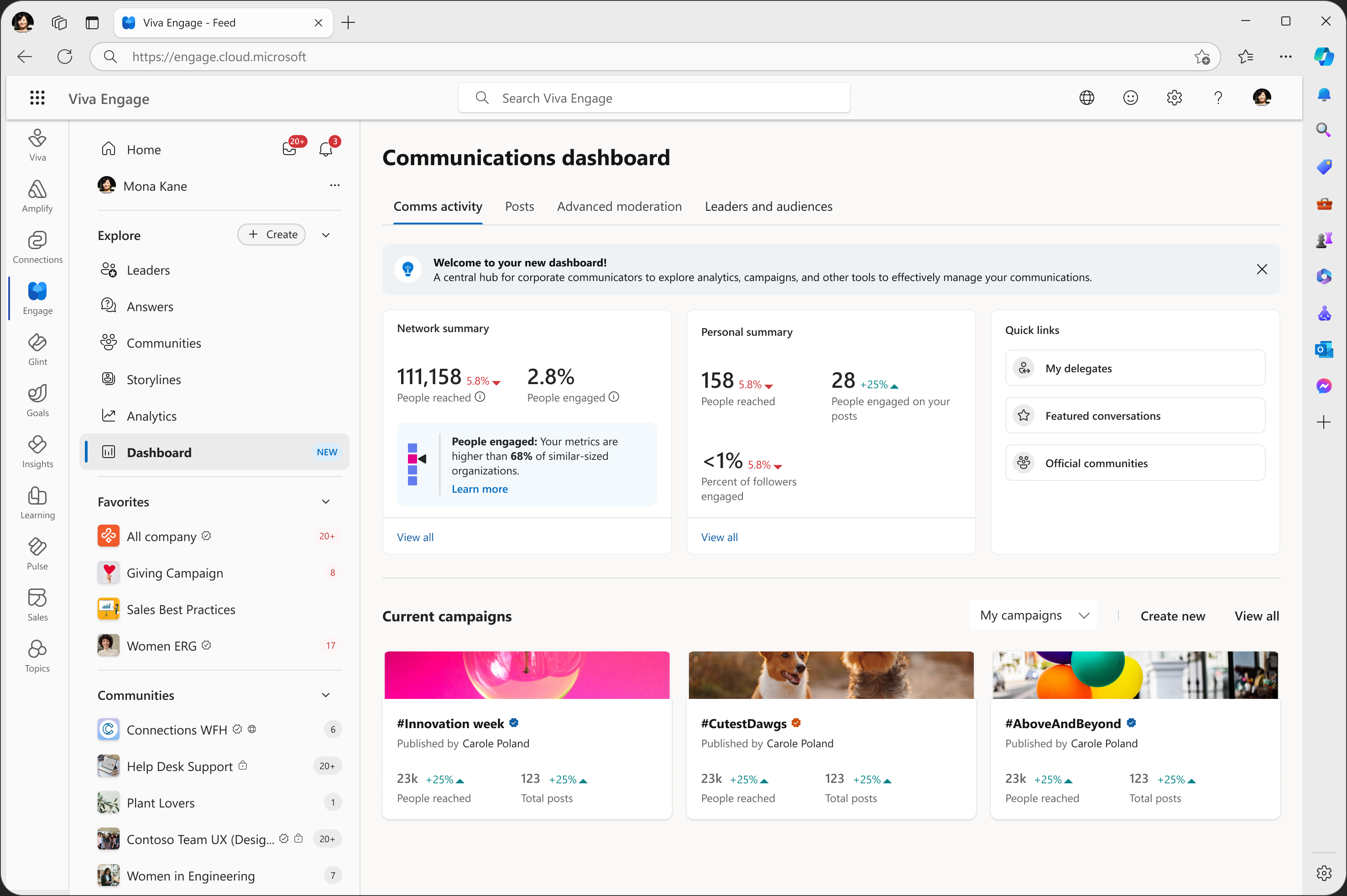
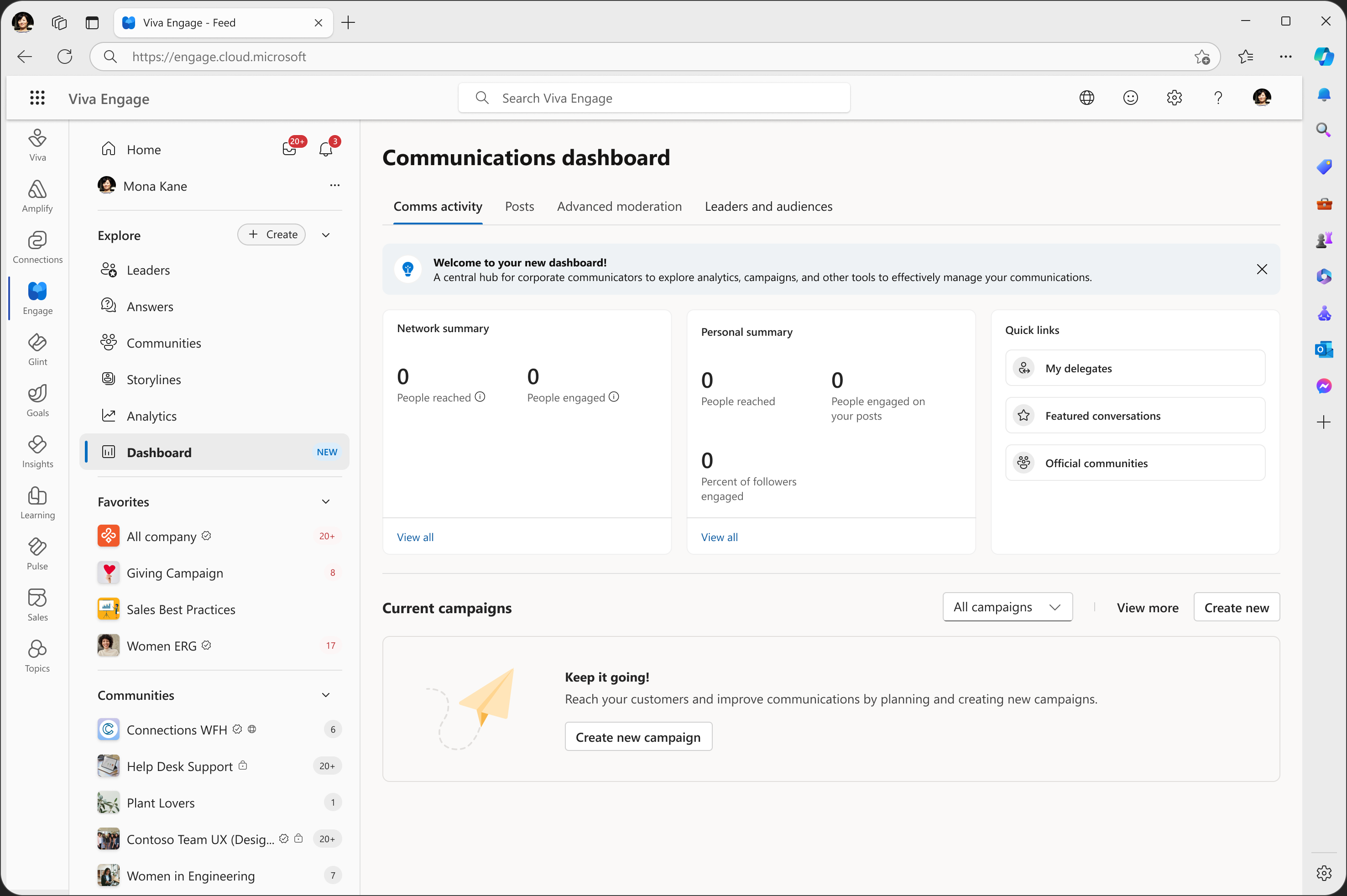
The opening image and details below come from the Dashboard design file. Handoff designs illustrate the proposed experience; they are not production screenshots. Values inside the mockups are example content.
Define the product before the navigation
When I joined, the team had explored planning, analytics, leadership engagement, moderation, content creation, and watch alerts. The open question was how these investments should become one product: who would use it, what work belonged there, and which experiences should remain separate?
For corporate communicators, fragmentation was already a daily problem. Creating content, coordinating campaigns, managing executive communications, and understanding results meant moving between experiences with different navigation and ownership models.
Research involving 14+ corporate communicators, across concept testing, interviews, and information architecture validation, pointed toward centralized content management. I used that direction to frame the dashboard around the work of running communications: planning, creation, coordination, moderation, management, and analysis.
The defining choice: delegates first
The audience decision shaped the rest of the product. We considered a leadership-first dashboard, separate leader and delegate dashboards, and a delegate-first approach.
The leader value proposition was still uncertain. Delegates—the people coordinating communications on a leader’s behalf—performed much of the recurring operational work. I advocated for prioritizing those workflows and deferred some leader-centric investments with the team.
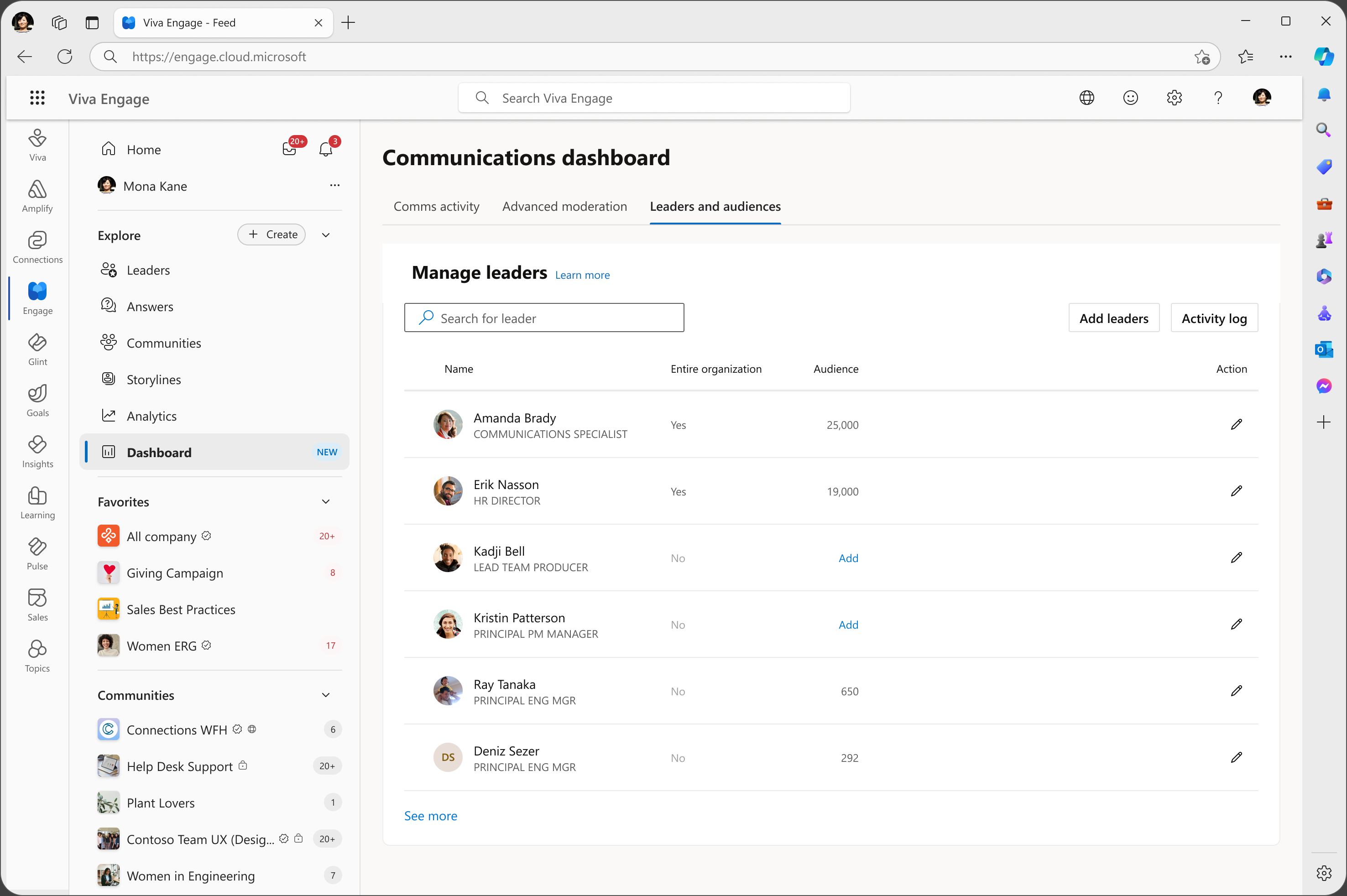
That choice grounded the dashboard in frequent tasks. It also made the relationship between personal work, delegated responsibilities, and leader views a central design problem. I modeled those relationships so that the platform direction could accommodate shared communications responsibilities.
Prioritizing delegates gave us a clearer basis for deciding what belonged in the workspace.
Turn the direction into a shared shell
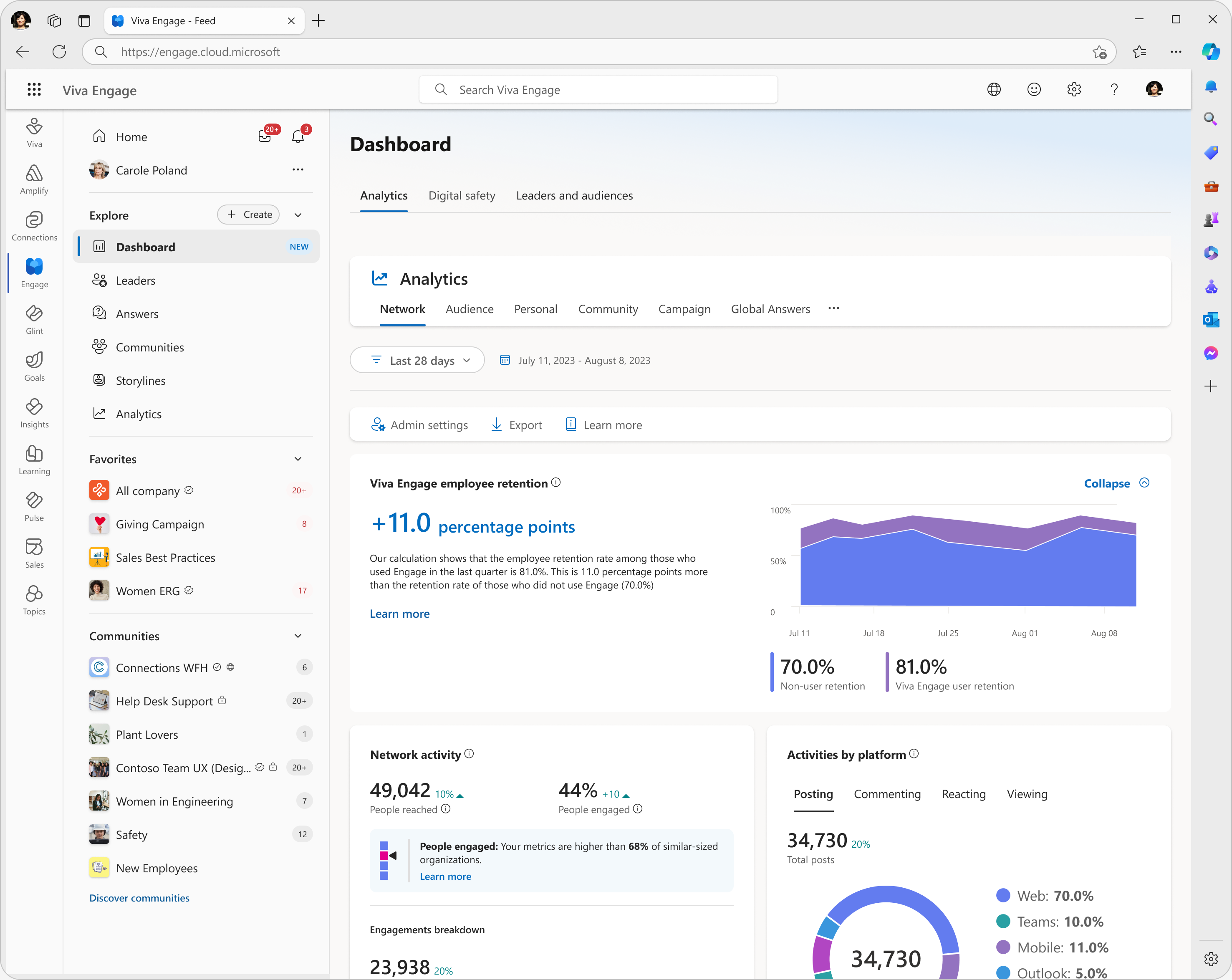
An analytics-first dashboard would center reporting. Research pointed toward a broader content management workspace, where people could create, coordinate, and manage communications alongside understanding their impact.
I developed information architecture connecting those activities and simplified navigation around that direction. Advanced Moderation lives inside this shell; its case study follows the detailed detection and review workflow.
The shell also needed room to evolve. I defined a content creation vision and explored how future communications capabilities could coexist within the same workspace.
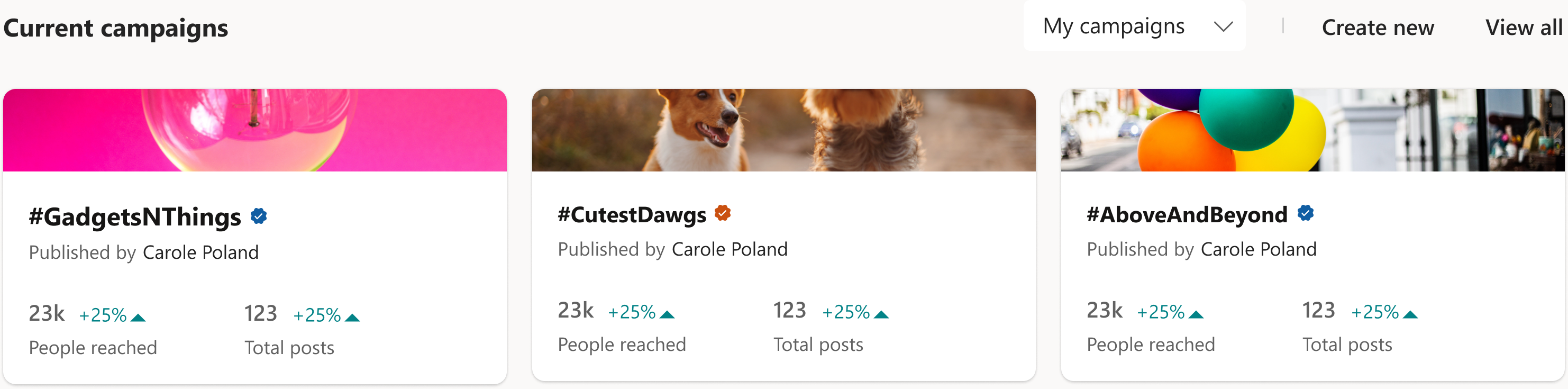
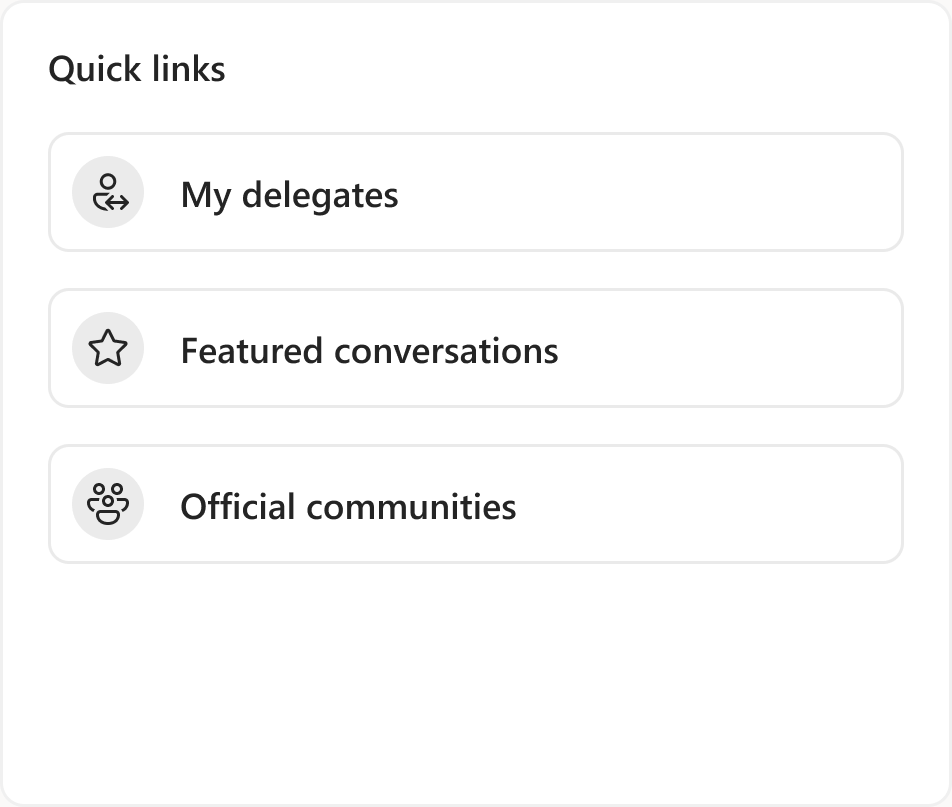
The overview shown at the top brings activity summaries, campaigns, and quick links into one entry point. Posts, Advanced Moderation, and Leaders and audiences remain distinct destinations within that shared shell.
Resolve the boundaries across teams
Separate dashboard proposals raised concerns about duplicated functionality, unclear ownership, and maintenance. I advocated for consolidation and shared patterns where they made sense. That required agreement across teams with their own priorities.
My work included presentations, working sessions, and leadership reviews addressing dashboard ownership, naming, navigation, and leadership visibility. I used these artifacts to help partners evaluate product boundaries and future investments, influencing decisions without formal authority.
Future direction. Consolidation, Teams integration, Communications Plans, and Shared Drafts were part of the longer-term platform discussion. The dashboard established a foundation for these investments.
What the platform enabled
The dashboard reached 100% customer rollout. Alongside the adoption figures above, campaign creation and leader configuration provided evidence that people were using it to perform communications work.
The organizational result was a shared platform direction across previously independent workstreams. Teams had a clearer basis for discussing where future capabilities would fit and which patterns they could share.
I entered the project thinking about dashboard usability. The more consequential work was defining its boundaries. Navigation became a way to express those decisions: who the product serves, which responsibilities it connects, and how it can grow.