Follow the moderator’s job
Viva Engage’s moderation tools had grown around separate capabilities. Themes used semantic AI to detect conversations about a concept. Keywords matched exact language. Notifications surfaced activity, while Detected Conversations provided a place to review it.
A moderator’s job crossed all of those boundaries: define what to monitor, understand why a conversation surfaced, investigate, and keep track of what had been considered. I proposed organizing the redesign around those decisions.
Advanced Moderation lives inside the Communications Dashboard. Working with Ian Rangel Vieira Santos and our cross-functional partners, I focused on the workflow within that shell: information architecture, triage, filtering, review states, and contextual-review explorations.
The moderator’s job
- 01ConfigureDefine what to monitor.
- 02ReviewUnderstand why content surfaced.
- 03InvestigateRead the surrounding conversation.
- 04Act & trackDecide what to do and record progress.
Configure: preserve the meaning of detection
Distinct setup, familiar review
- The tension
- Themes and keywords could surface similar content through different mechanisms: interpreting meaning versus matching exact language.
- The design response
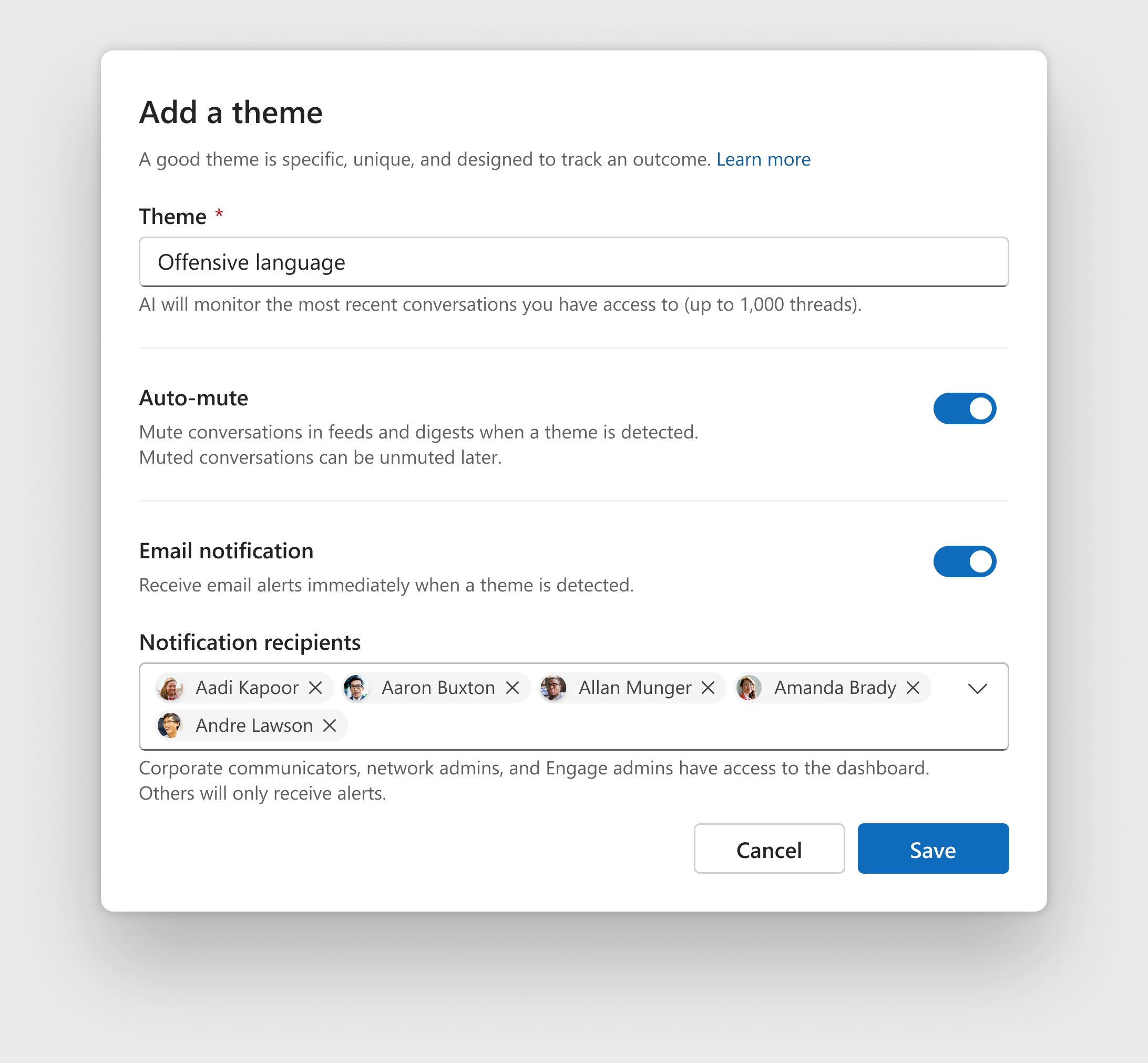
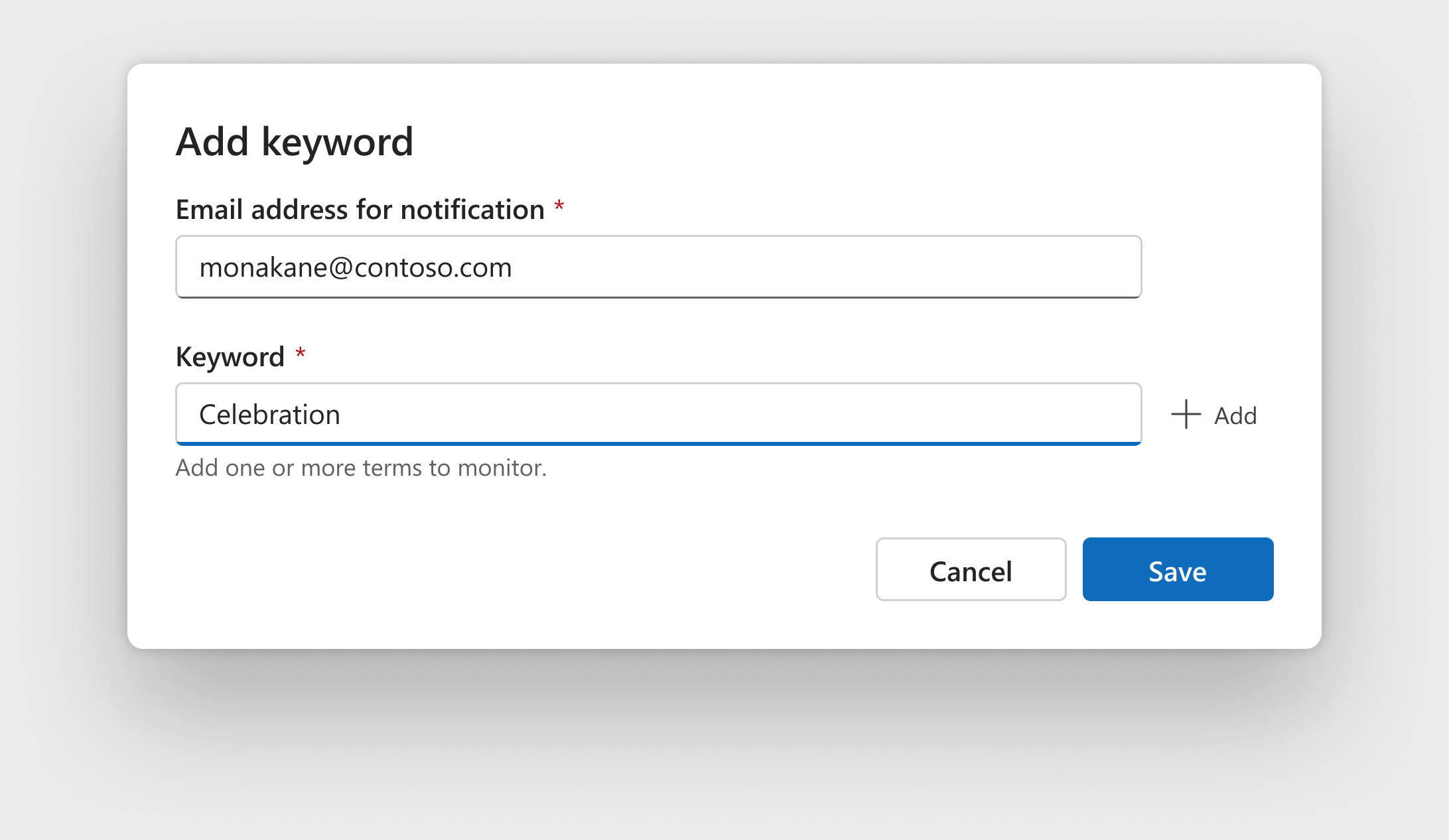
- I supported distinct setup models with shared review and filtering patterns. Moderators could understand how each method worked while using a common approach to the content it surfaced.
The tradeoff. We retained complexity in setup to preserve an important distinction, and standardized the work that followed.
Why we did not merge everything
Keeping Theme and Keyword experiences entirely separate would preserve the distinction but retain the fragmented workflow. An undifferentiated system would hide how detection worked. Distinct setup with shared review preserved that meaning while connecting the experience.
Maintain what the system monitors
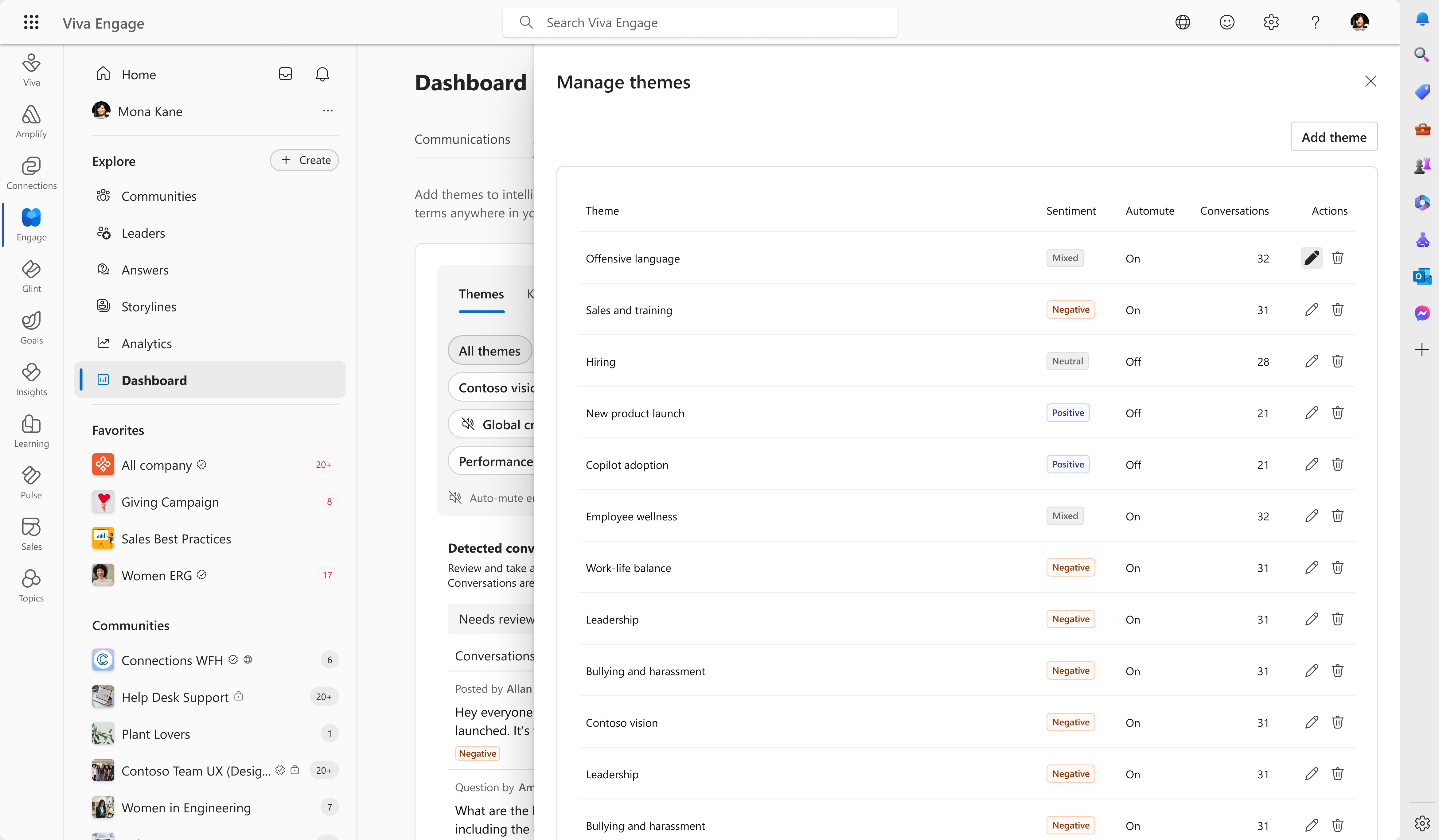
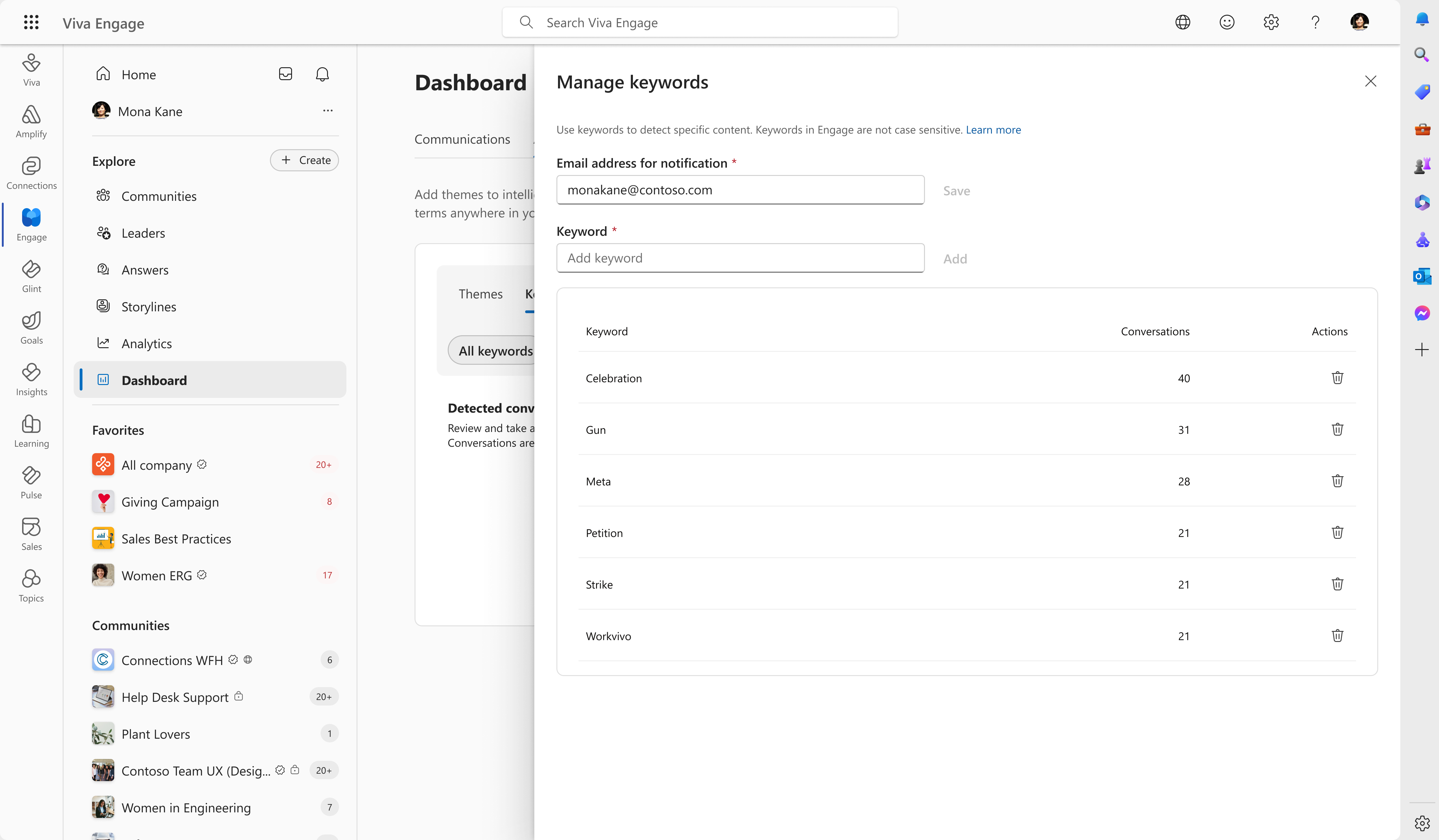
Setup was only one part of configuration. The GA management panels keep the monitoring rules available for ongoing maintenance. Theme management exposes sentiment, auto-mute settings, conversation counts, and edit or delete actions. Keyword management keeps the monitored terms and notification address together.
Inspect theme and keyword management
Review: make progress visible
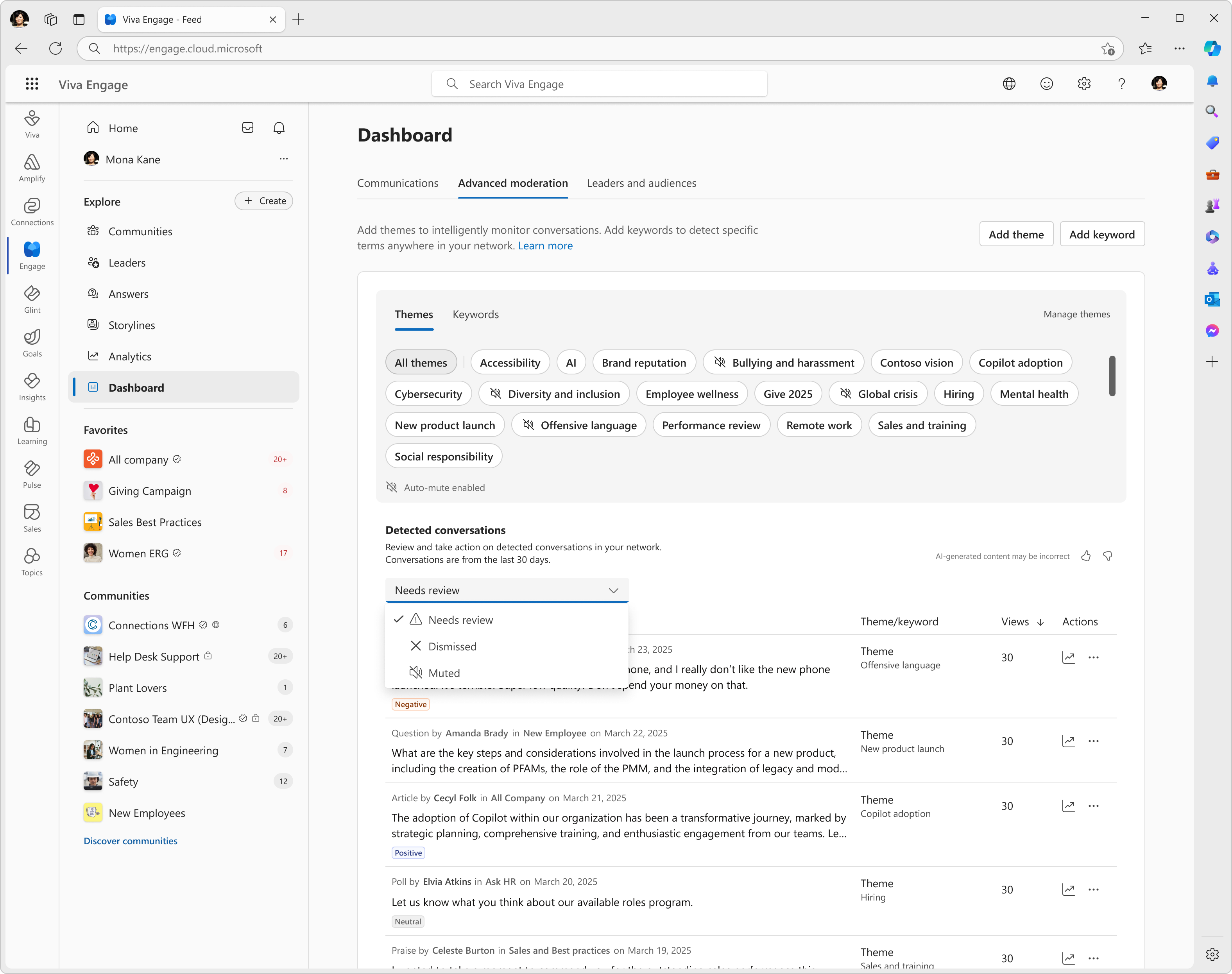
Feedback repeatedly raised a continuity problem: what had been reviewed, what had been dismissed, and what still needed attention?
My project notes describe New, Reviewed, and Dismissed as an organizing model for moderation activity. The GA design uses Needs review, Dismissed, and Muted in its review filter. These labels distinguish work awaiting attention, dismissed content, and conversations whose visibility has been limited.
The additional structure mattered because surfacing a conversation was only the beginning of the job. The interface also needed to support the decisions that followed.
Act: make consequences and reversals explicit
A review decision and a visibility decision have different consequences. The GA confirmation designs explain both the destination in the moderation workflow and, where relevant, the effect on the wider network.
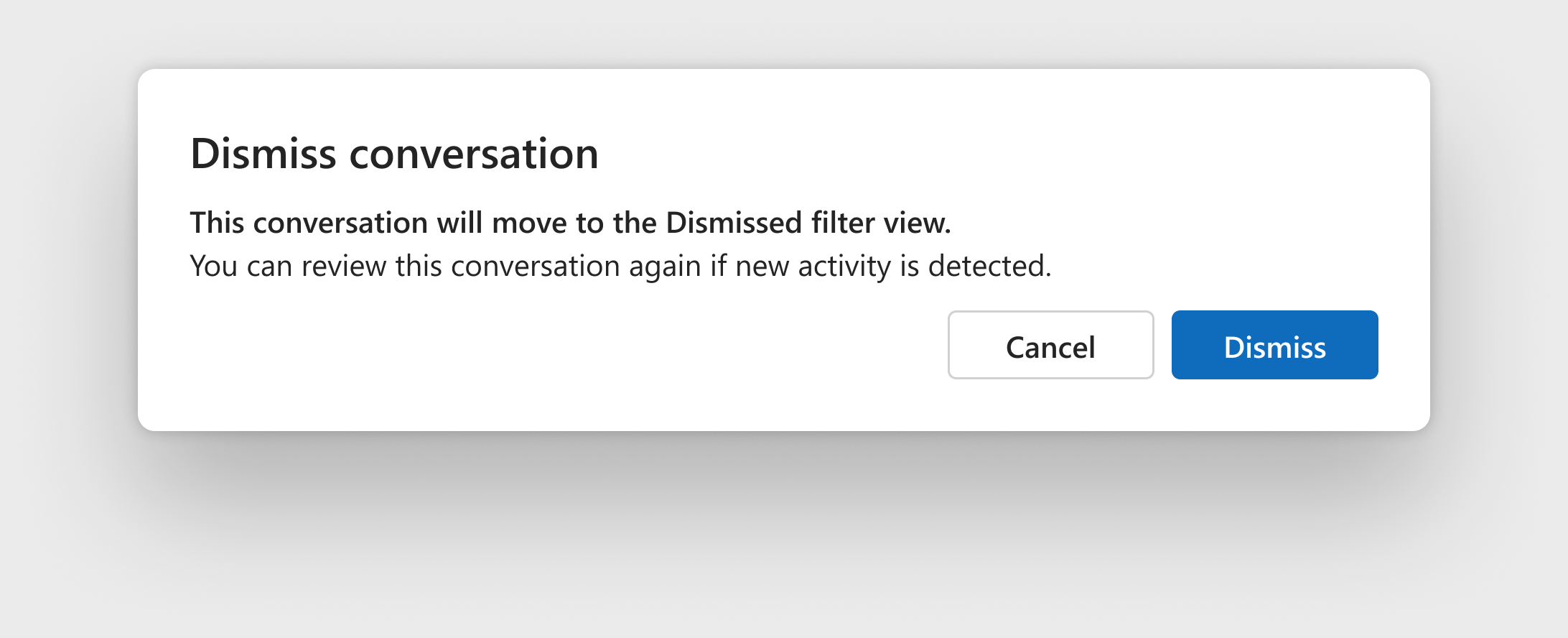
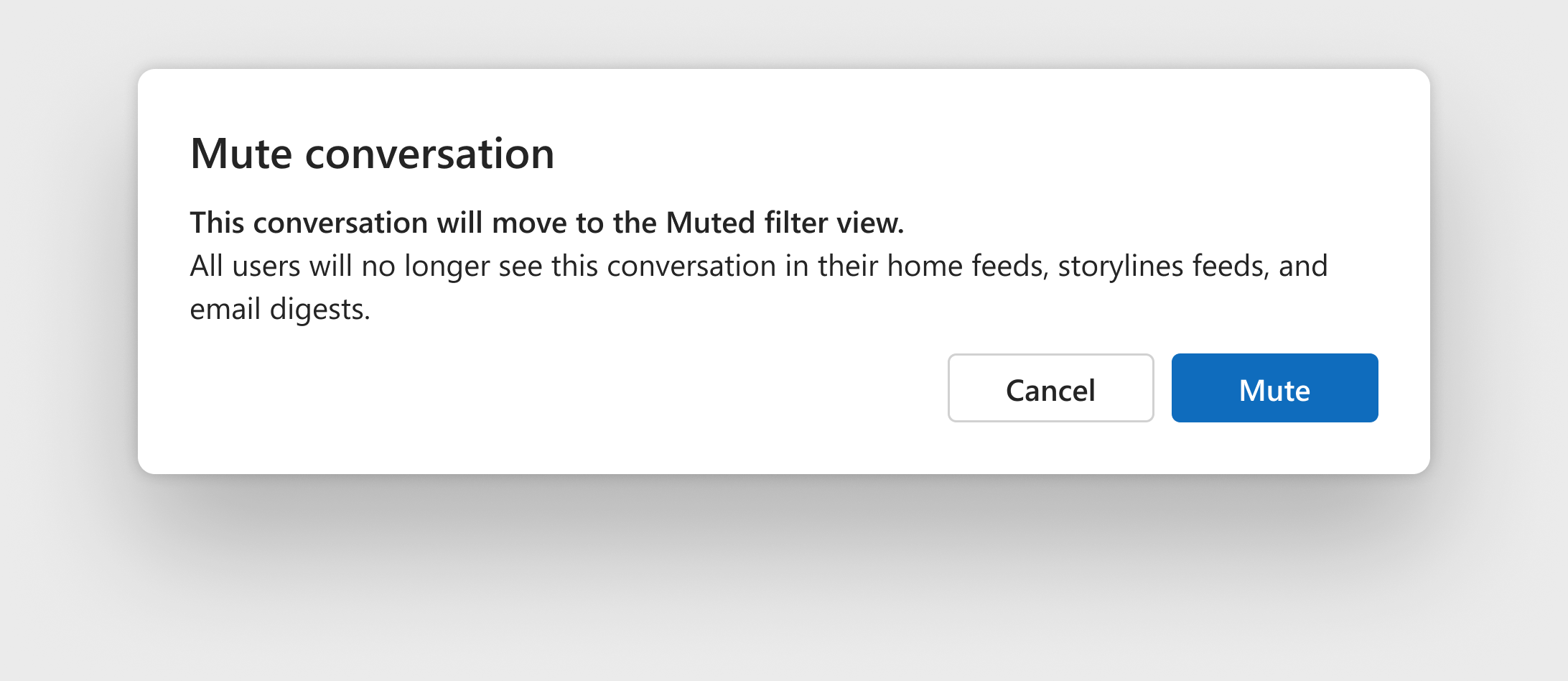
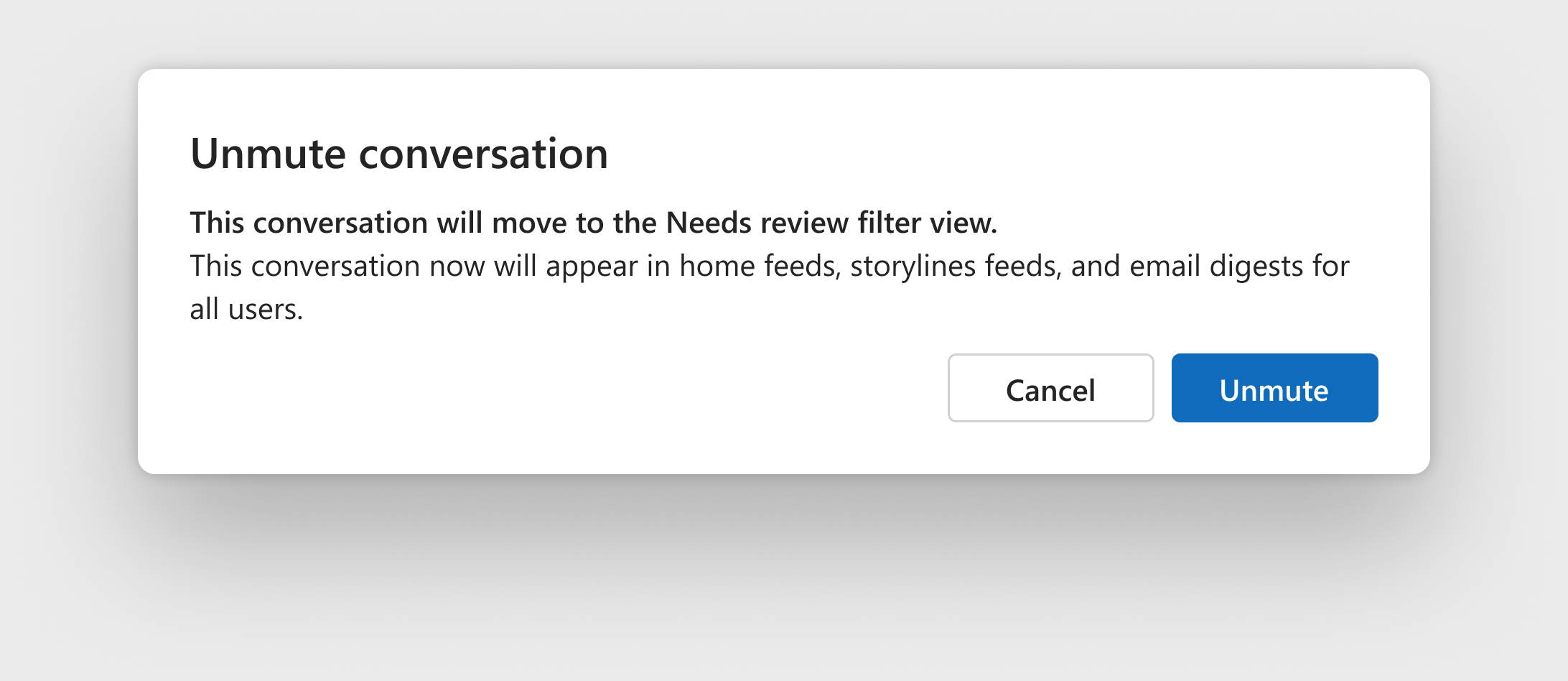
Dismiss records a review decision. Mute changes distribution. Unmute restores distribution and returns the conversation to review. Those differences stay explicit in the confirmation states.
Inspect dismiss, mute, and unmute confirmations
Dismiss moves a conversation to the Dismissed view. The confirmation also explains that new activity can warrant another review.
Mute moves a conversation to the Muted view and explains that it will no longer appear in home feeds, storyline feeds, and email digests.
Unmute restores distribution and returns the conversation to Needs review. The recovery path connects the visibility change back to the review workflow.
Investigate: the gap that remained in v1
Teams asked for richer conversation context before taking action. We explored ways to inspect the surrounding discussion within the moderation workflow, so a moderator could investigate without leaving the experience.
Shipped. Full conversations opened elsewhere. Launch constraints left that interruption in the workflow.
Explored. Contextual review brought the surrounding conversation into the moderation experience. This remained a direction for future work.
Bring the workflow to launch
I used workflow artifacts, design reviews, and architecture discussions to help partners evaluate how the connected experience should operate.
Ian and I also created and refined the primary Advanced Moderation demo used in leadership presentations, customer conversations, conference demos, and launch storytelling. It gave those audiences a shared view of the end-to-end experience. Launch reviews focused on coherence and readiness for General Availability.
On June 19, 2025, the product completed its General Availability rollout across Theme Moderation, Keyword Monitoring, and Detected Conversations.
After launch: help people decide what to monitor
Reported adoption grew 14% month-over-month, representing five net new customers. But most networks maintained only three active themes. That observation surfaced another adoption challenge: helping customers express useful monitoring intent.
A connected review workflow still depends on knowing what to look for.
Future direction. The finding informed recommended themes, onboarding guidance, AI-assisted suggestions, and theme-creation coaching. The target was five or more active themes per network.
The project changed how I think about AI product design. Detection starts a workflow; the surrounding product must help people interpret a signal, exercise judgment, and track their work. It also needs to help them define useful intent before that workflow begins.